Leading Designs in SaaS Software: Optimizing Surgical Workflows
Outcome
50% ↓ time-on-task for health history retrieval
+17 pts SUS vs. legacy
24% ↓ in health-history-retrieval support tickets
IMPACT
Results & metrics
My designs helped over 1,500 surgery centers, 15,000 clinicians and 350k patients streamline their pre-surgical workflows, enhancing health history creation, retrieval and documentation experiences. These improvements resulted in:
50% ↓
Time-on-task for health history retrieval
24% ↓
Health-history-retrieval support tickets
10% ↓
in Implementation hours per new facility
+17 points
in SUS compared to before
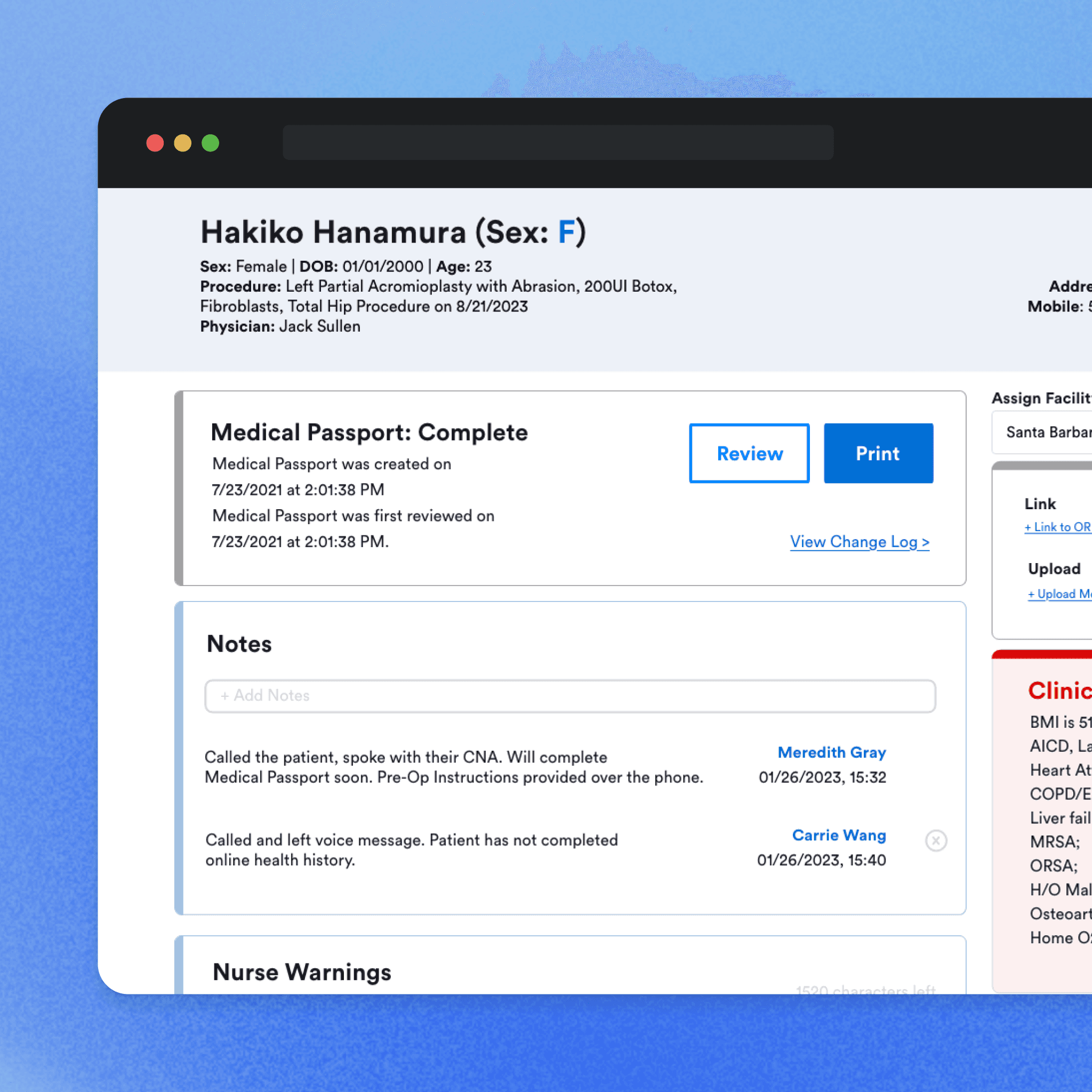
Final design
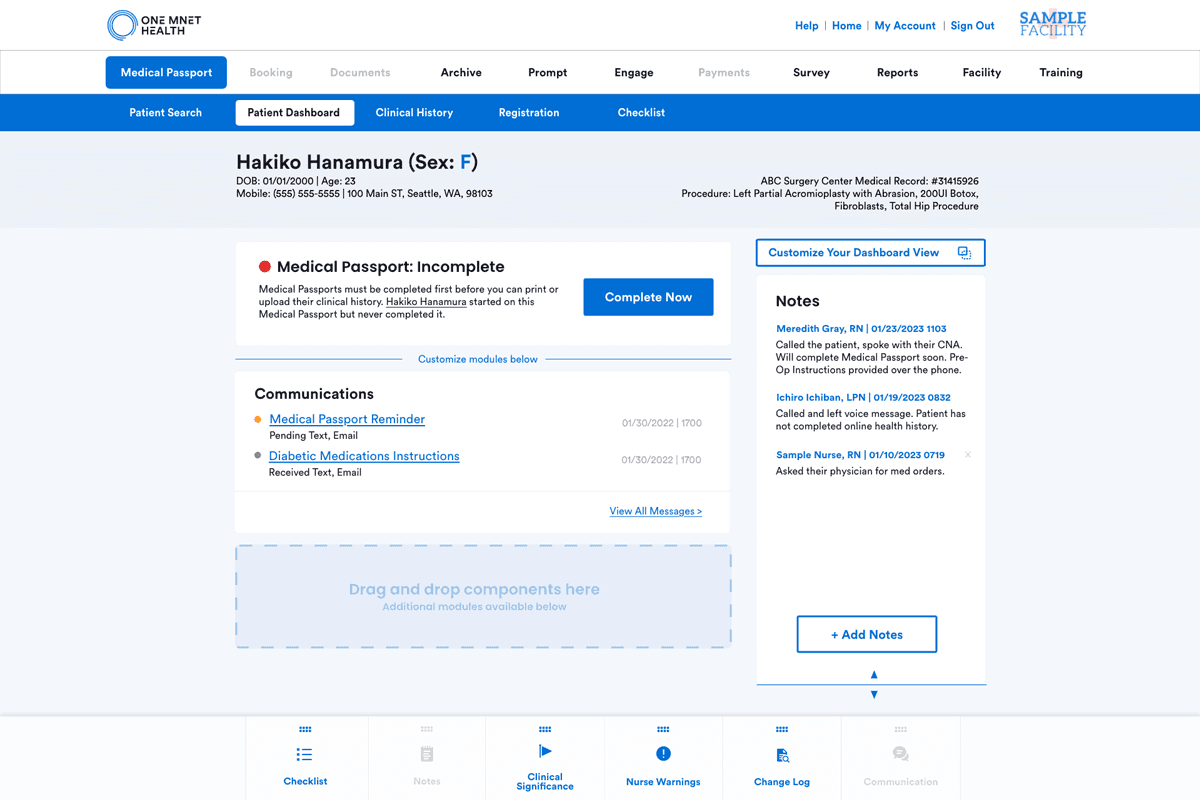
This page reflects the core UX standards I helped establish. As the lead interaction and visual designer, I drove the content, information hierarchy, and brand experience shown below.

"Patient Dashboard" page: Completed patient health history with high-risk modules, notes and communication logs.
BACKGROUND
Ambulatory Surgery Centers (ASCs) use One Mnet Health’s SaaS platform to streamline pre-op and post-op care. Patients submit their health histories online via our portal, which then provides their information directly to the surgery centers for review.
CHALLENGE
User challenges
Users are frustrated by the poor usability of our surgical productivity software, due to inconsistent menu and CTA placements. Drawing from my clinical background, my goal was to address their challenges and improve their experience.

Business challenges
We faced the challenge of merging two user interfaces due to the acquisition. This merge meant we needed to align the new parent company’s aesthetics while also improving the functionalities of our solutions.

Constraints
I found innovative solutions to approaching our challenges despite my constraints listed below:
Tight project timelines
Competing development priorities
Limited pool of available interviewees
PROCESS
Narrowing down the scope
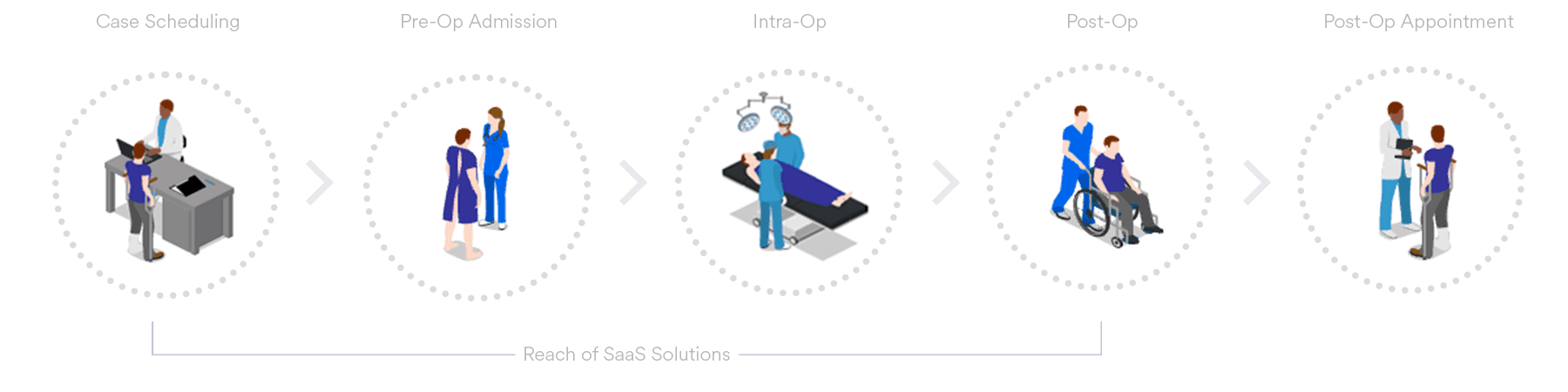
In the project's early stages, we had considerable freedom to identify user pain points within our solutions. I concentrated our efforts on the high-impact areas, primarily the Facility Portal where most of our customers reside.
DESIGN SCOPE WITHIN THE SURGICAL WORKFLOW

Curious about the other portal's enhancement efforts? Check it out here.
Design process
My design process follows a general linear structure, but as we all know, design is not linear but cyclical, which allows for ongoing refinement through iterative steps.

I collaborated with…
Clinical customer success manager
Sr. branding designer
Sr. Business analysts
Marketing director
Lead engineer
In the process, I helped form our company's first UX team 🎉
RESEARCH & SYNTHESIZE
Understanding the problems
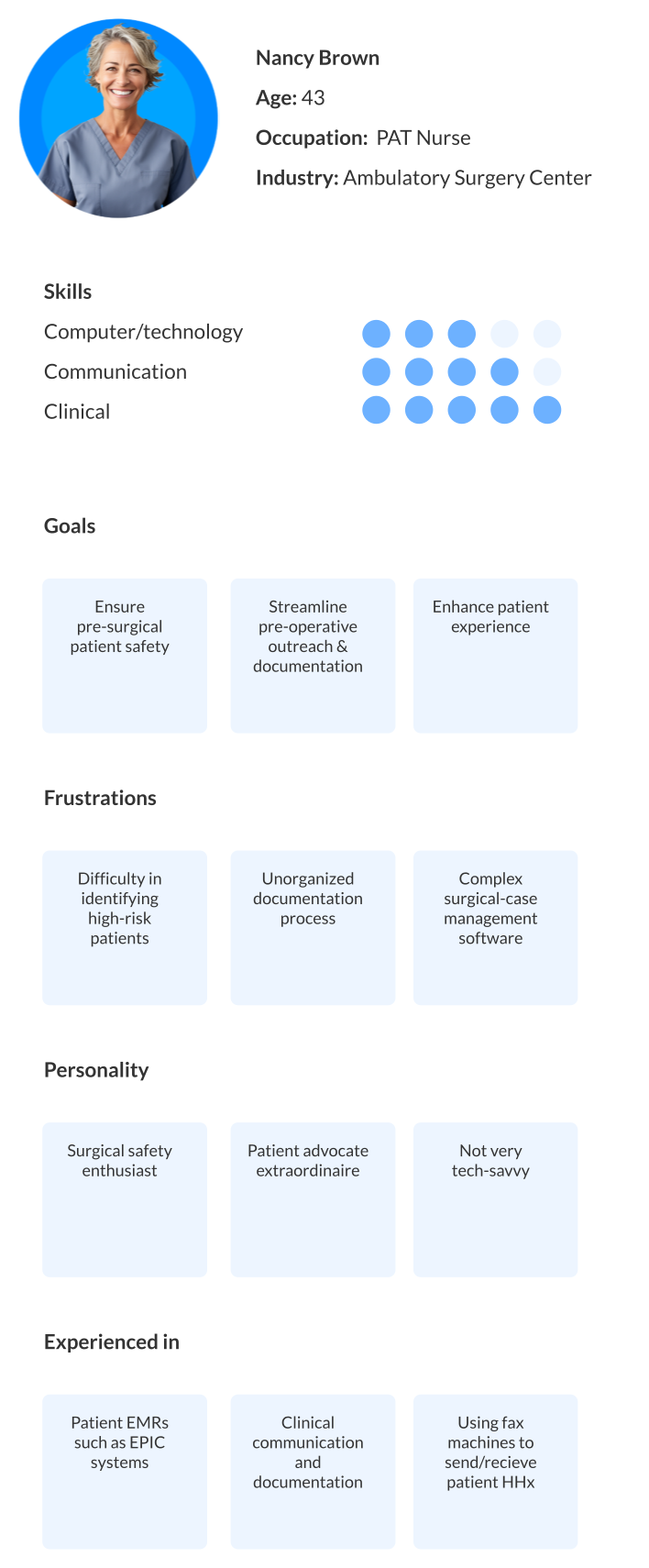
Persona
Our target users within the facility portal, serving approximately 11,000 active daily users, are predominantly Pre-Admission Testing (PAT) and Post-Anesthesia Care Unit (PACU) nurses who regularly log into our pre-surgical productivity solution.

Legacy user flow analysis
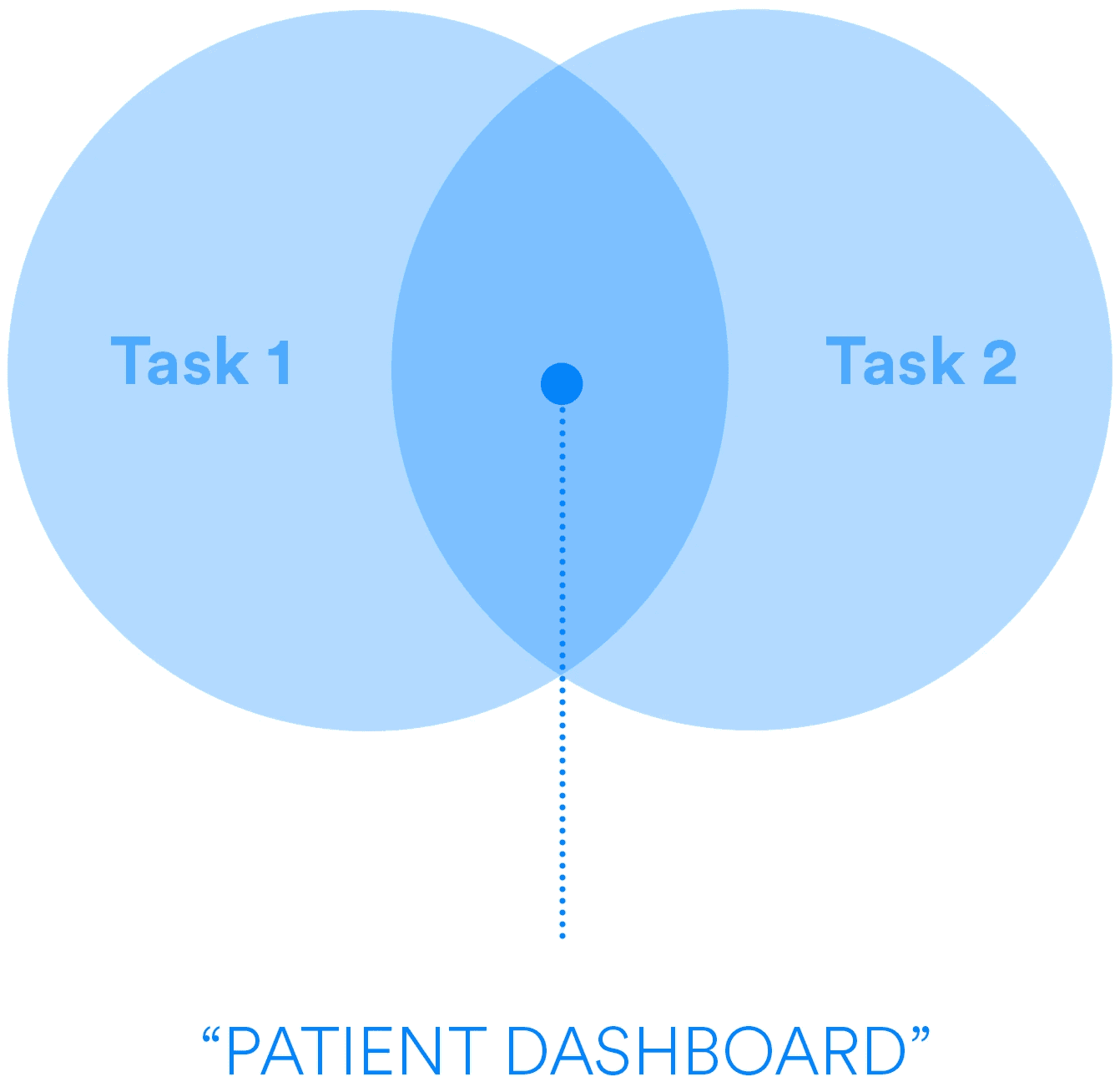
I conducted a legacy user flow analysis to understand the most common actions of our users. Within this analysis, I identified two main tasks crucial to their day-to-day workflow:
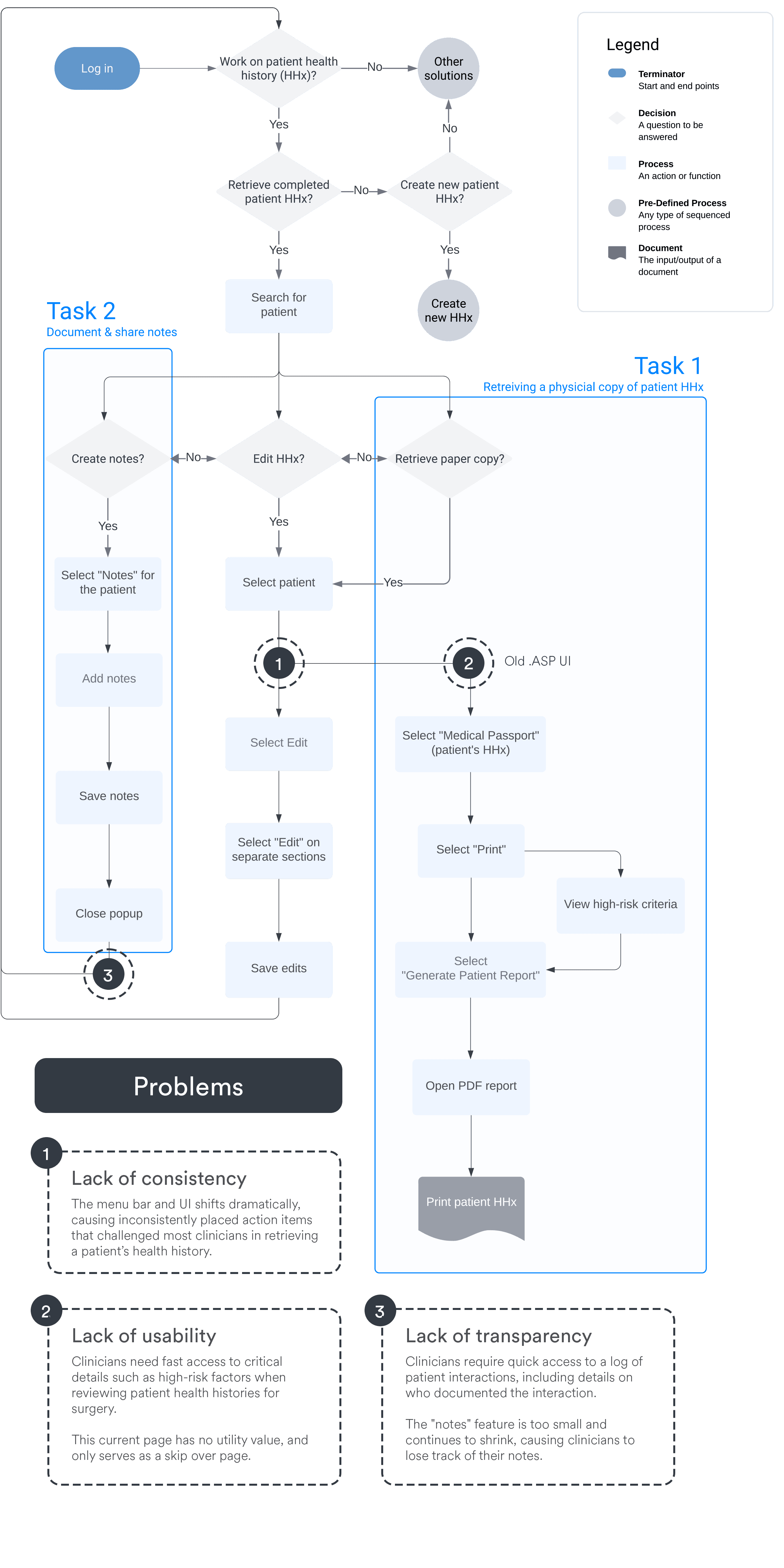
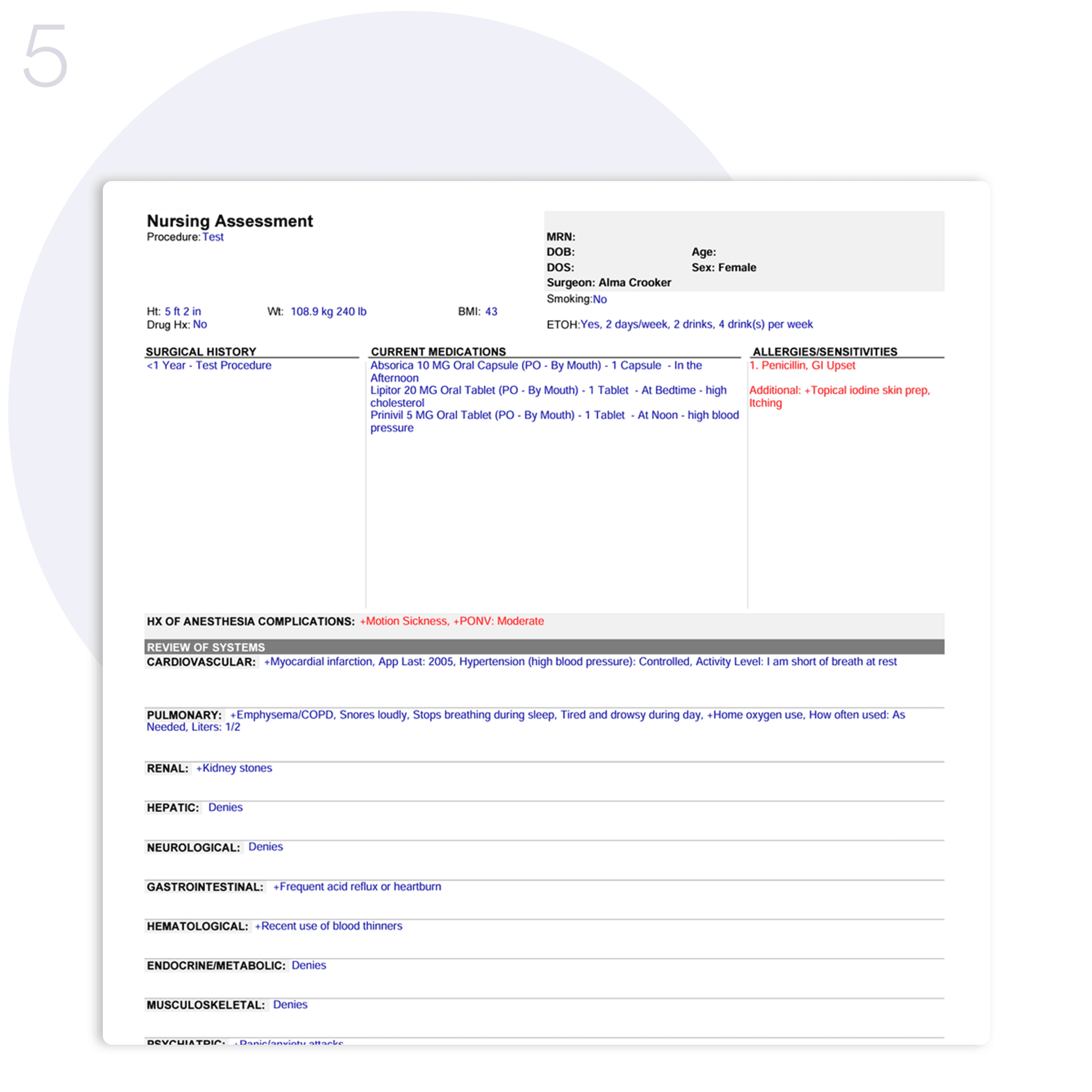
Task 1
Retrieve a physical copy of a patient's health history to evaluate for risk-factors


Task 2
Document and share patient interactions


Affinity Map
Utilizing an affinity map, I visualized the connections between user pain points, technology limitations, and our business strategy. This guided my design focus, ensuring alignment with priorities and maximizing impact, helping me to break them down into key tasks and their relative categories.
Key tasks
Retrieving health records
Assessing surgery risks
Documenting interactions
Categories
Business strategy & alignment
User experience
Technical

IDEATE
Design library
To ensure designs and platform consistency are align with the parent company's aesthetics, I helped develop a design system. This system features reusable components—patient name bars, modules, list items, and buttons—that maintain design consistency and streamline the design-to-development handoff process.

Design for consistency
Shifting menu bar and inconsistently placed action items challenged most clinicians in retrieving a patient’s health history.
Standardize the menu layout and design aesthetics for a consistent experience


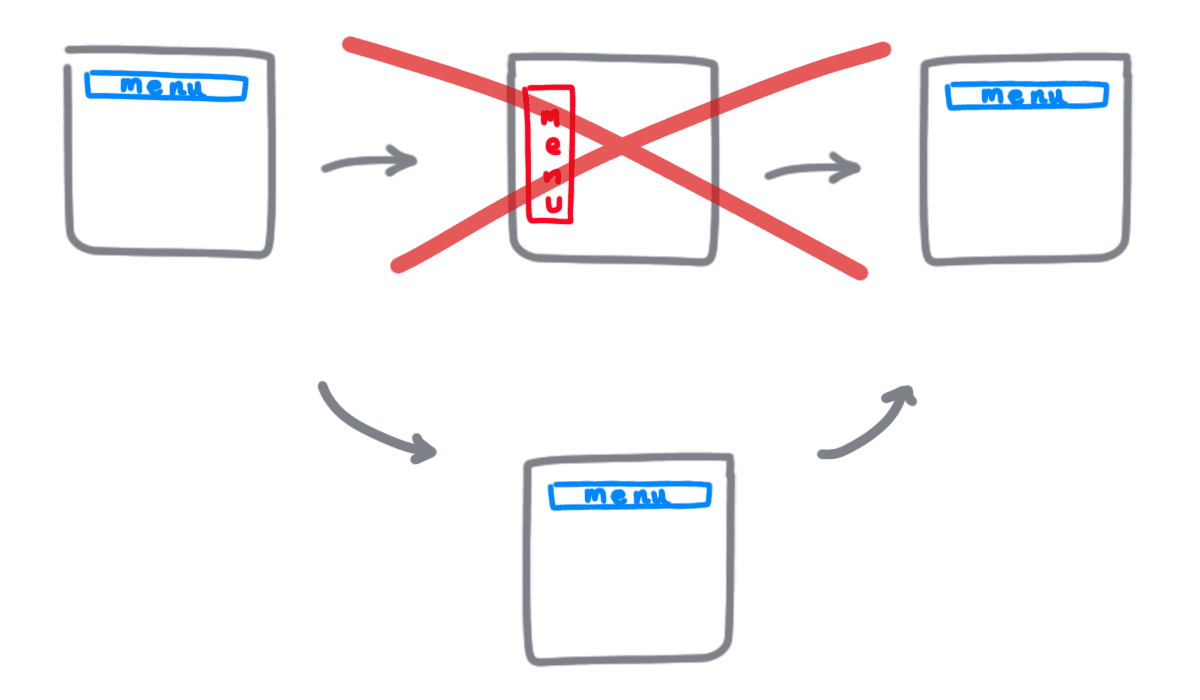
Reasoning
Consistent design streamlines workflows, minimizes cognitive load, and enhances visual cue recognition, making tasks simpler for users. This efficiency reduces the need for implementation managers during client onboarding.
Design for usability
Clinicians need fast access to critical details such as high-risk factors when reviewing patient health histories for surgery.
Create visual components of important clinical data in one page to enhance usability

By reducing choices and emphasizing clarity, we lower interaction costs.
Minimize clutter and simplify navigation can reduce the time users need to achieve their goals.
Use obvious CTAs to accelerate access to what users need, helping with the retrieval of crucial patient risk information for surgical decisions.
Design for transparency
Clinicians require quick access to a log of patient interactions, including details on who documented the interaction. This is crucial for safe patient admission to surgery.
Add a centralized note creation/note sharing component, allowing it to take up more space in the page

Reasoning
Using the "Law of Proximity" from UX principles, the note-taking area was expanded and centralized. This adjustment enables clinicians to easily access and act on essential communications, improving workflow efficiency and patient safety.
PROTOTYPE
Using feedback and ideas received, I developed high-fidelity prototypes that made it easier to retrieve a physical copy of a patient's health history for risk evaluation & a place for patient interaction documentation all in one place. From this, the concept of a "Patient Dashboard" page emerged.
Design iterations
I documented the evolution of our design to optimize clinicians' interaction with the patient health history interface. This process involved several iterations that incrementally improved functionality and user experience.

Iteration 1
I started by creating a standard patient health history format. However, it lacked a consistent patient name bar and crucial visibility for clinician's notes.

Iteration 2
I gave the notes components more space and explored options to show the status of a health history's completion status, enhancing accessibility and visibility.
Iteration 3
I explored the idea of customizable modular components for users to tailor their views for patient cases. However, budget and time constraints prevented further exploration at that time.

Iteration 4
I went with the bento box layout to condense crucial information on a single page. This streamlined clinician's workflow by focusing on essential tasks of accessing patient health history, view risk factors, and manage notes.
Other considerations
We explored additional designs for our Medical Passport's main page and a customizable patient dashboard. However, deeper user insights revealed that a complete layout overhaul could disrupt user habits and trust.
Decision – Did not pursue further due to potential user impact and high costs.

Customizable modular components concept

Sidebar layout concept
Final solution
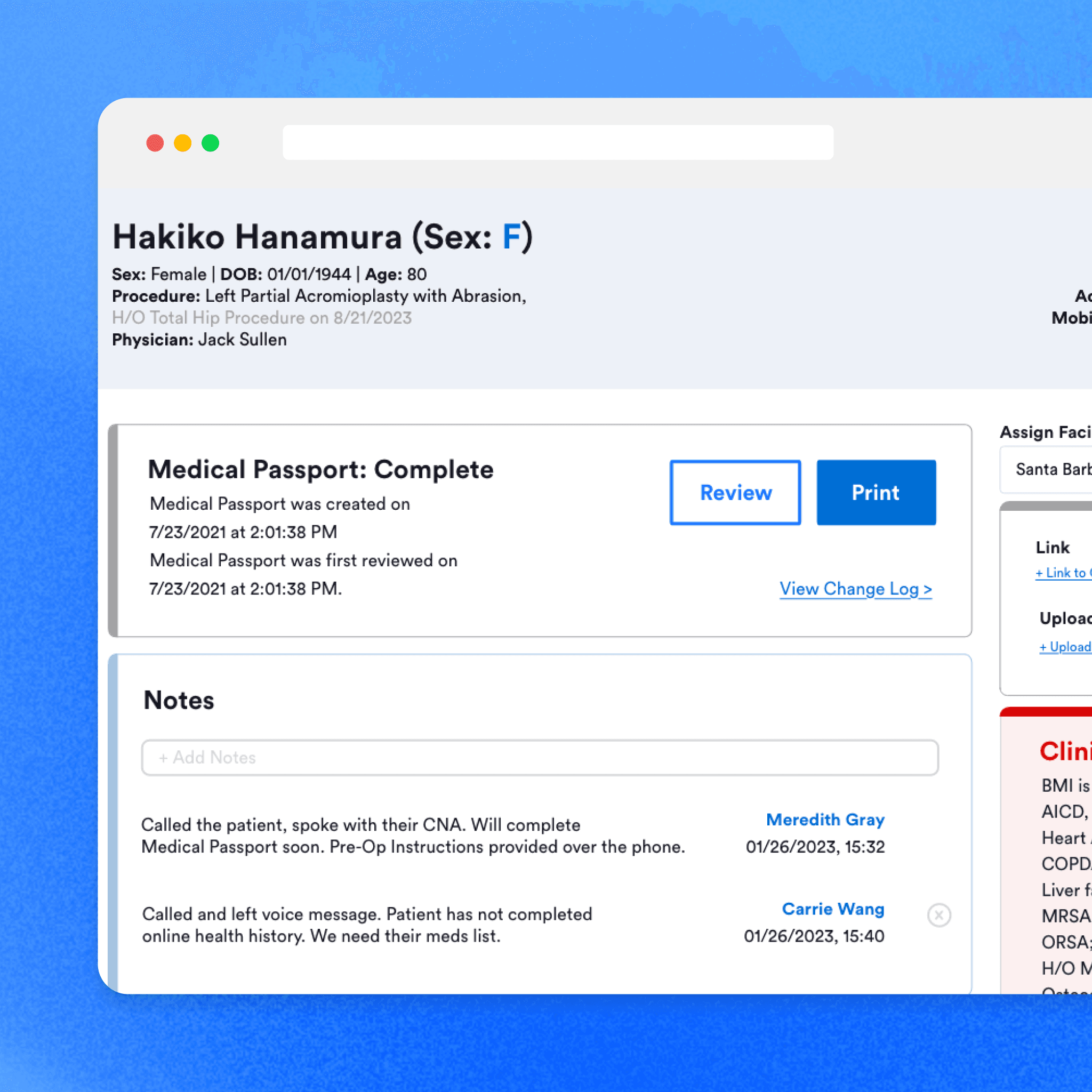
Below are comparison screens showing the original and the newly designed "Patient Dashboard" page that resulted from combining tasks 1 and 2.
Before

After

VALIDATE
Conclusion
I conducted usability testing with six customer success managers, and ten clinicians who use our facility portal, using a clickable prototype to evaluate my design updates. The results showed significant improvements in usability and efficiency:
Retrieving Health History: All interviewed users reported that the process was easier than before.
Locate Patient Risk Factors: Eight out of ten users quickly found the "clinical significance" module within five seconds.
Create and Share Notes: All participants were able to access the notes feature immediately upon entering the page.
Locate Crucial Data: Every user could easily find the necessary information.
BEFORE
AFTER
Ability to retrieve a patient's health history w/o onboarding
Ability to quickly find a patient's risk-factors
Ability to find notes, create notes and share notes
Find important data quickly to determine case admittance
"I like how easy it is to use"
"The new page allows me to see everything I need at a glance"
Future considerations
With additional resources, I'd like to explore customizable dashboards to improve user experience without altering established workflows. Further research is also advised to collect better data from a wider range of clinician demographics.
TAKEAWAYS
Results
50% ↓
Time-on-task for health history retrieval
24% ↓
Health-history-retrieval support tickets
10% ↓
in Implementation hours per new facility
+17 points
in SUS compared to before
Reflection
Time-on-task in production came from moderated and timed tests. I re-measured 4–8 weeks post-rollout with nurses on live cases, and found that experienced users who were aquatinted to the old experience still found the new page to be a catch all of what they wanted and what they expected. Though, a small number of experienced users hated the change and were very vocal about it.
New users who have never used our products before were able to be onboarded quicker by using self guided tutorials and less time for implementation team to train.
The ticket decrease for this tag of health-history-retreival went down since the old way of retrieveing health history took 5 clicks, and now it is down to 2.
Following the redesign, the System Usability Scale (SUS) increased by 17 points among users who completed the in-product survey, indicating a meaningful improvement in perceived usability.
Why this was interesting to me
My first roles were in direct patient care, where I saw how frustrated clinicians could be with outdated software. Now, I get to design better healthcare tools and continuously improve them through their feedback. Being able to be that connection between clinical experience with design, and knowing that my designs have helped our clinicians’ work better is incredibly satisfying.